
Petrol is sitting above $2.19 a litre nationally right now. In some parts of regional Western Australia it’s already hitting $3.20. And it’s not looking like it’s coming down anytime soon — the crisis around the Strait of Hormuz is still unresolved, Australia’s fuel reserves are well below where they should be, and the federal government has started releasing emergency stocks just to keep things stable.
The International Energy Agency has formally recommended Australians work from home where possible. Energy Minister Chris Bowen has called it “a sensible thing to do in any environment.” National Cabinet met this week to discuss options including WFH encouragement alongside carpooling and public transport subsidies.
If you run a Mandurah business where some or all of your team can work from home — this is the moment to actually set it up properly. Not throw together something half-functional on a kitchen bench. Actually set it up so it works.
That’s what this post is about. And if you want help doing it, Digital Den is based right here in Mandurah and this is exactly what we do. Whether it’s remote tech support or on-site help, we can get your team sorted fast.

What It’s Actually Costing Your Team to Commute
Let’s put some numbers to it. A standard 40km round-trip commute, five days a week, in a car doing 10L per 100km — that’s 20 litres a week. At current Mandurah prices that’s close to $44 a week, or over $2,200 a year. At $3/L it’s $3,120 a year — just to get to work and back.
That’s real money coming out of your employees’ pockets. If you can give them two or three days working from home, you’re putting hundreds of dollars back in their pocket without touching their pay. That’s not nothing right now.
And if you’re the business owner doing the commute yourself — same maths applies.
Start With Your Internet Connection
Everything else is negotiable. Internet is not.
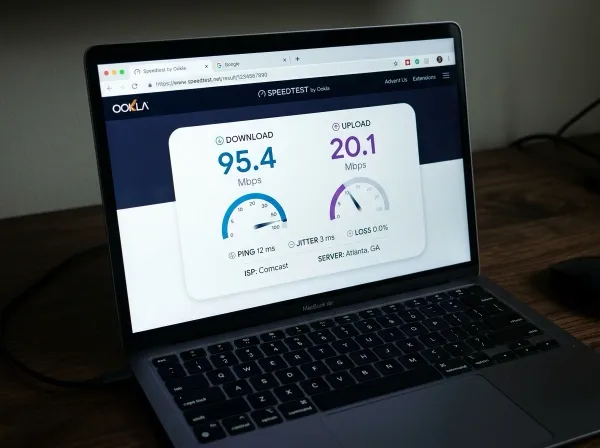
Before you buy a single piece of equipment, run a speed test at fast.com during work hours. If you’re consistently getting under 25Mbps download and 10Mbps upload, you’re going to have problems — dropped video calls, slow cloud software, frustrating remote access tools.
Most Mandurah homes are on NBN now. If you’re on a 25/5 plan, upgrade to at least NBN 50. The difference is usually $20–30 a month and it’s worth every cent. If you’re in a rural pocket of the Peel region where NBN is still patchy, Starlink is a serious option now — the speeds and reliability have both improved a lot.
Not sure what you’re getting or how to improve it? We can sort that out as part of a remote tech support session.
Your Computer Setup
For most business tasks, you don’t need expensive hardware. Emails, documents, spreadsheets, video calls, cloud-based software — a mid-range laptop from the last three or four years handles all of it fine.
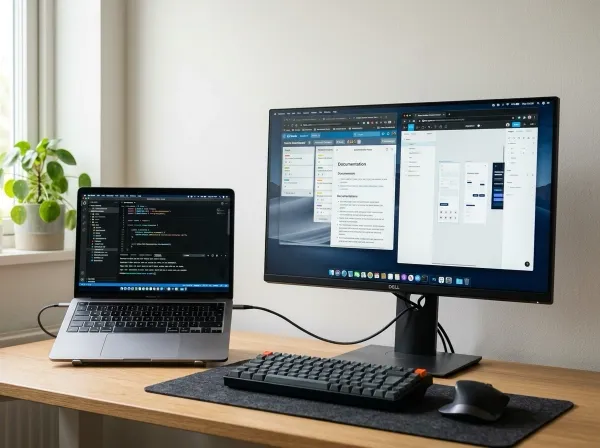
What actually makes a difference is adding an external monitor. A 24-inch screen you can pick up for $200–$300 will improve your productivity more than almost anything else. Add a proper keyboard and mouse for another $50–$100 and you’ve got a solid working setup for under $500.
Don’t overthink the hardware. Get the basics right first.
Communication Tools
This is where most small businesses get unstuck when they go remote. They try to run everything through email and then wonder why things fall apart when people aren’t in the same room.
If you’ve got two or more people working from home, you need a real-time messaging tool. Microsoft Teams or Slack are the two main options. Teams comes included with Microsoft 365, which a lot of small businesses are already paying for — so check that before paying for anything extra.
Simple rule: quick back-and-forth goes in Teams or Slack. Anything that needs to be formally documented goes in email. That one change alone cuts most of the confusion that comes with remote work.
For video calls, Zoom and Teams are both solid. If you’re already on Microsoft 365, use Teams — no point paying for Zoom as well unless clients specifically ask for it.
Digital Den can set up Microsoft 365 for your business, configure Teams, and make sure everyone knows how to use it. Practical, straight-to-the-point — not a two-hour training session nobody remembers.
File Storage and Sharing
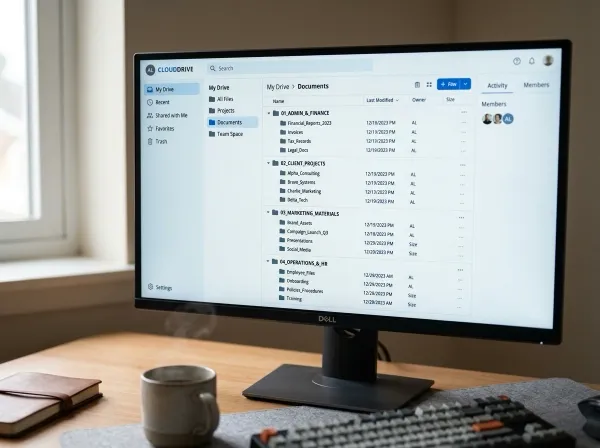
If your business files are sitting on a local hard drive or someone’s laptop, remote work is going to be painful. You need files in the cloud so anyone can get to them from anywhere.
Microsoft OneDrive (included with Microsoft 365) or Google Drive are both good options. The key is making cloud storage the default — not an optional extra. Everyone saves there by default, not to their local machine.
This also gives you a basic safety net against data loss. Not a full backup solution on its own, but a lot better than a hard drive that can fail without warning.
Security: Don’t Skip This Part
When everyone’s in one office on one network, security is simpler to manage. Spread your team across home networks and it gets more complicated fast. If you don’t have a plan for this, read our guide on why every small business needs a cybersecurity plan.
Three things that actually matter:
Every work device needs a login password. Sounds obvious, but I’ve seen business laptops with no lock screen “because it’s faster.” If that laptop goes missing from someone’s home, your business data goes with it.
Turn on multi-factor authentication on everything — email, cloud storage, accounting software. That’s the code sent to your phone when you log in. Three extra seconds per login and it stops the majority of account hacks.
If your team is accessing sensitive business systems remotely, look at a proper business VPN. Not the consumer ones advertised online — a real setup configured by someone who knows what they’re doing.
We handle all of this. If the security side feels like a black hole, we can assess what you’ve actually got and fix what matters.
How Digital Den Can Help
Setting up a work from home environment that actually functions isn’t complicated, but there are a lot of moving parts — internet, hardware, Microsoft 365, Teams, cloud storage, security, remote access. Getting them all working together properly takes time.
Digital Den is based in Mandurah. We work with local businesses in the Peel region on exactly this. We’ll assess what you’ve already got, fill the gaps, and set it up so your team can work from home without it becoming a constant IT headache.
No call centres. No ticket systems. Just practical tech support from someone local. Not sure whether you need remote or on-site help? We can figure that out together.
If the fuel situation is making you think seriously about this — now’s a good time to get it sorted. Get in touch and we’ll figure out what you need.